4.11.2. Workflows. Lesson 2: Combining Blocks in One Workflow
A workflow can hold several blocks connected to each other. The result of each block decides which block runs next, so one workflow can handle different texts in different ways.
This lesson builds on 4.11.1. Lesson 1: Getting Started with Workflows. If you have not read it yet, start there: it covers conditions, actions and how results are processed.
Block outputs: Yes, No and Always
Every block has one input on the left and three outputs on the right.
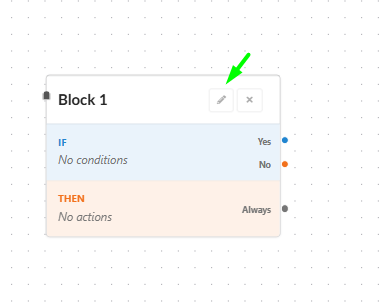
| Output | Where | Leads to the next block when |
|---|---|---|
| Yes (blue) | IF part | The block's conditions are met |
| No (orange) | IF part | The block's conditions are not met |
| Always (grey) | THEN part | The block's actions have run |
To connect two blocks, drag a line from an output dot of one block to the input dot of the next. Double-click a line to add a note to it.
The example workflow
Our workflow has five blocks. It replaces "cake" with "festive cake", checks for a doubled word, flags texts without "cake", and adds "Christmas" to the holiday greeting.
The blocks are connected like this:
| From | Output | To |
|---|---|---|
| 1. cake → festive cake | Yes | 2. Is festive cake true |
| 1. cake → festive cake | No | 3. Is cake false (Mark suspicious) |
| 2. Is festive cake true | No | 4. Validated test (Mark suspicious) |
| 4. Validated test | Always | 5. Holiday → Christmas Holiday! |
Block 2's Yes and Always outputs, and block 3's outputs, are not connected. What that means is shown in Test 1 below.
The blocks one by one
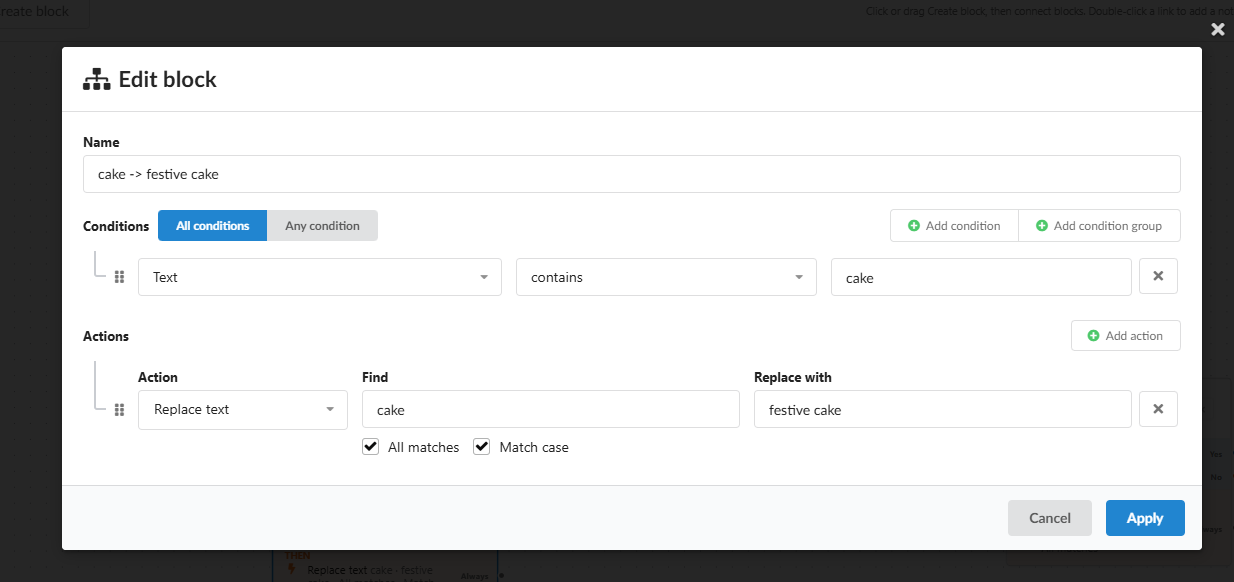
1. cake → festive cake
If the text contains "cake", it is replaced with "festive cake". Match case is on, so "Cake" and "CAKE" stay as they are. Yes leads to block 2, No to block 3.
2. Is festive cake true
Checks for a doubled word and fixes it. No leads to block 4.
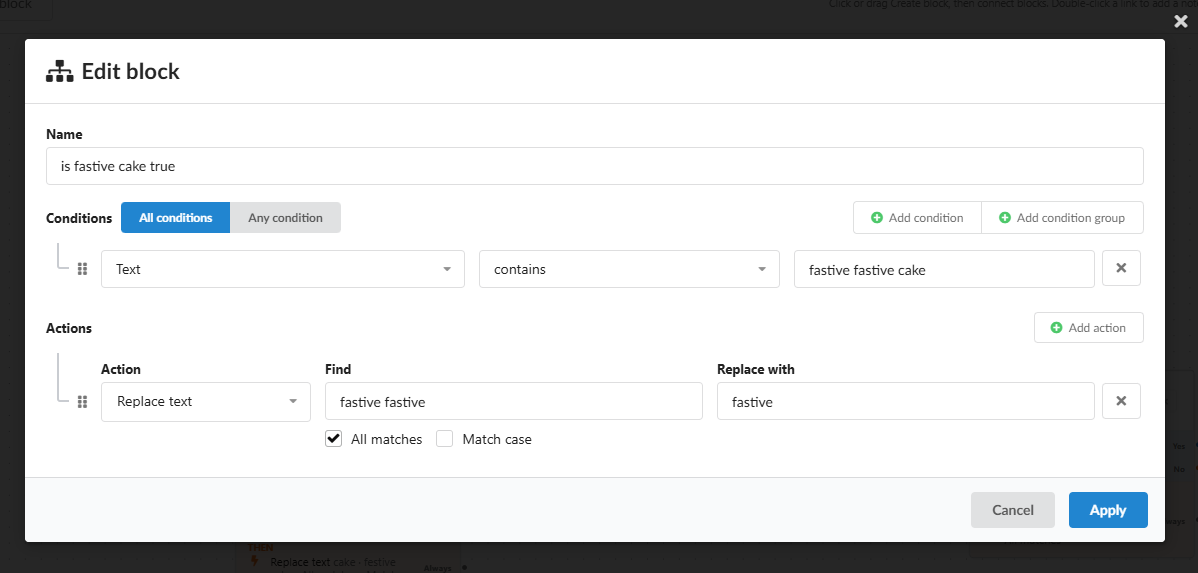
In this screenshot the word is spelled "fastive". Block 1 writes "festive", so this condition never matches. In your own workflow, use festive festive cake and festive festive → festive.
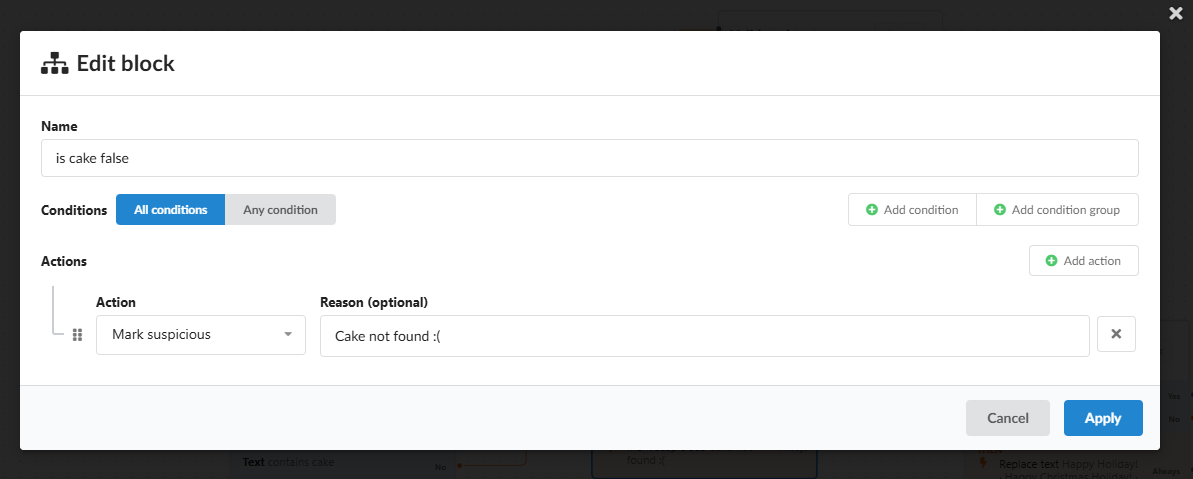
3. Is cake false
A block without conditions. It flags the result with the reason "Cake not found :(". Its outputs are not connected.
4. Validated test
Also without conditions. It flags the result with the reason "Checked! Please sync!". Always leads to block 5.
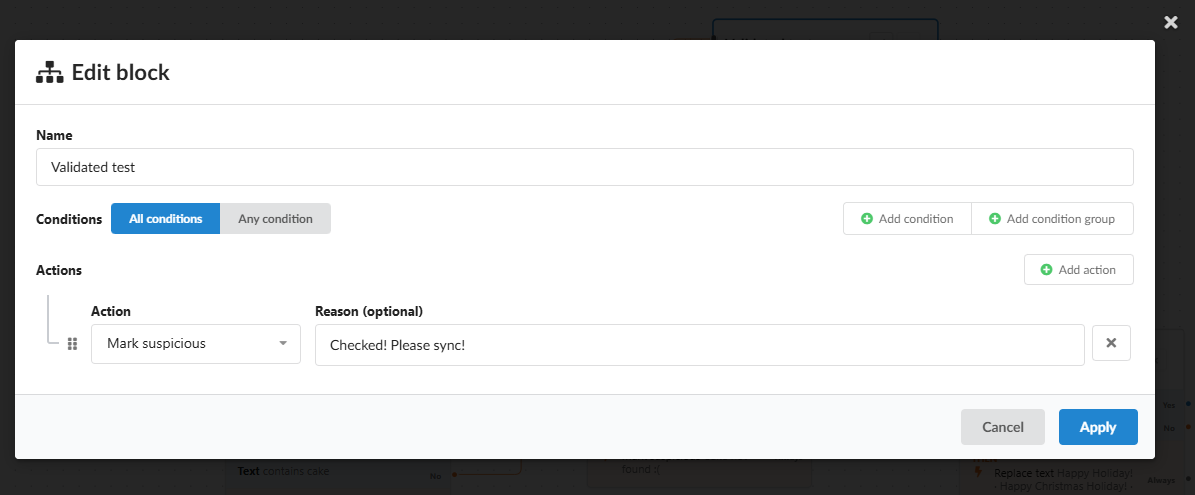
Mark suspicious blocks the sync to the store. This reason is only a test marker that shows the block ran. In a real workflow, write a reason that tells the reviewer what to check.
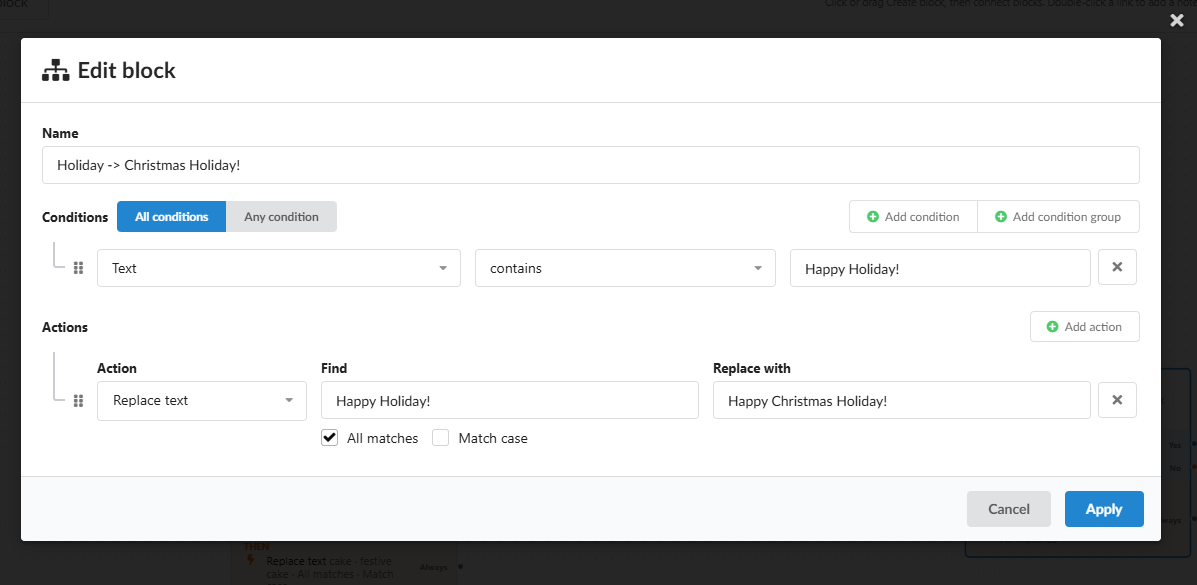
5. Holiday → Christmas Holiday!
If the text contains "Happy Holiday!", it is replaced with "Happy Christmas Holiday!".
Generate a test text
To try the workflow yourself, use this prompt in your flow. It produces a text similar to the one in this lesson, ending with "Happy Holiday!" so block 5 has something to match.
Write a short, warm, and appealing delivery message for the product. Mention that we will deliver the cake in beautiful gift packaging, together with a personal note, to the address provided by the customer.
The first part of the text should contain approximately 80 characters and describe the cake delivery in a natural, friendly, and elegant way.

Do not use capitalization randomly. Each variation should fit naturally into the sentence and context.
The final sentence must be exactly: "Happy Holiday!"
Keep the message friendly, festive, elegant, warm, and suitable for an online cakes shop.
For Test 1, replace "cake" in the prompt with another product, for example "sweets", so the text contains no "cake".
Test 1: text without "cake"
Path: block 1 → No → block 3 → end.
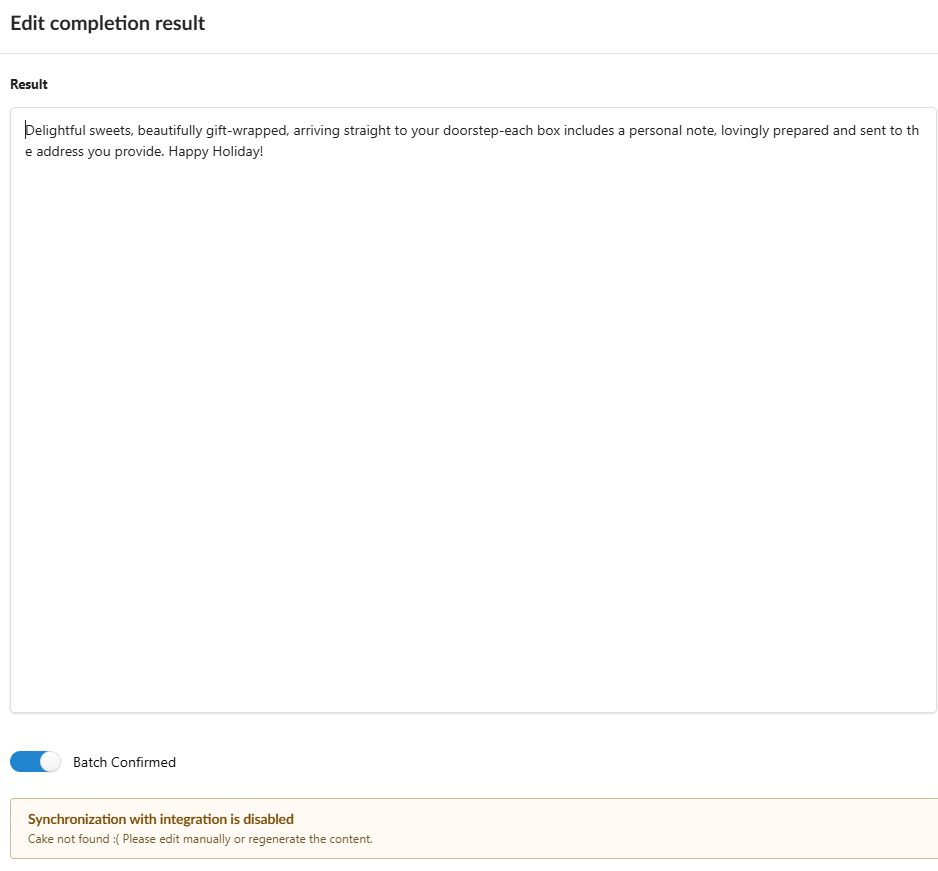
- The reason "Cake not found :(" shows that the No branch worked.
- Block 3 has no conditions, yet its action ran. A block without conditions runs its actions.
- "Happy Holiday!" was not replaced, even though the text contains it. Block 3's outputs are not connected, so block 5 was never reached. When an output is not connected, processing stops there.
Test 2: text with "cake"
Path: block 1 → Yes → block 2 → No → block 4 → Always → block 5.
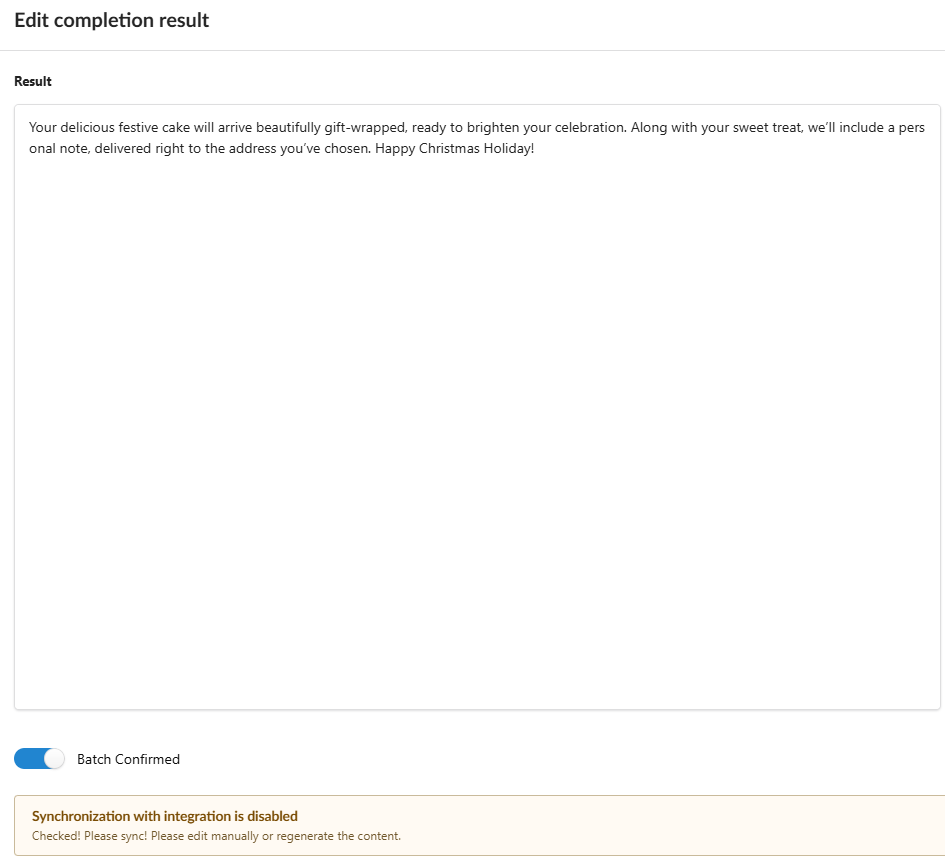
- "delicious festive cake": block 1 replaced the word and took the Yes branch.
- No doubled word, so block 2 took the No branch.
- The reason "Checked! Please sync!" shows that block 4 ran.
- "Happy Christmas Holiday!": block 5 was reached through Always and made its replacement.
Rules to remember
| Rule | What it means for you |
|---|---|
| Yes / No choose the next block | Build separate paths for texts that meet a condition and texts that don't |
| Always continues after the actions | Use it to go on to the next check whatever the block did |
| A block without conditions runs its actions | Handy for a final step, such as a review flag |
| An unconnected output ends processing | Connect every path that should reach later blocks, or they will be skipped |
| Mark suspicious does not stop the workflow | Later blocks still run after a flag |
Before saving, follow each path on the canvas with your finger: "if the text has X, where does it go next?" A missing line is the most common reason a block never runs.